-
DOC Repair When CRC Error Causes Corruption
Not able to access your important Word document? Don’t worry this page tells how to repair it.
DOC Repair When File is Recovered Using any Recovery Tool
When file is recovered using any recovery tool. Find answers regarding DOC file, damaged due to third party recovery tool.
-
Repair Word File after Software Crash
Click on this page to learn on, how to fix your corrupt Word document after the application crash.
Repair Error Opening Word Document
Do you need to how to fix errors that you get while opening DOCX file? Click on this page to know more.
-
The most efficient method to make your unreadable Word file readable again after corruption.
Repairing Virus Infected Word File
Is your Word file corrupted due to virus infection? Read this page to know on how to resolve this issue.
-
Repair Microsoft Word File Errors
Click here to know about repairing corrupted Microsoft Word document after error messages.
Top 5 reasons for why Yodot DOC Repair software is the right choice?
- Yodot DOC Repair tool has advanced algorithm that scans corrupted document to repair and recovers not just the text but also document formatting including the font, header, footer, tables, charts, clip arts, hyperlinks and even embedded OLE objects
- The software easily repairs inaccessible Word document files that deny to open by showing error message like “Word cannot open the document”
- It has the ability to repair and recover Word file text from a corrupt and altered doc file due to CRC error
- Facilitates instant repair and preview of corrupt DOC file within few clicks
- Supports repair and recovery of Word file from any accessible drive on Windows
Yodot DOC Repair tool uniquely designed to repair and recover the corrupt or inaccessible DOC file by extracting its content and rebuilding a new healthy word file. Document text along with its other attributes like text formatting, indentations, hyperlinks, charts, tables etc are also recovered effectively.
There can be numerous reasons that may lead to word file corruption or it's inaccessibility, which eventually causes data loss. Yodot Microsoft Word .doc, .docx repair tool repairs even the severely damaged DOC files with in few seconds. The software has simple repair functionality but can save you from great disasters in work.
How Yodot DOC Repair Software works?
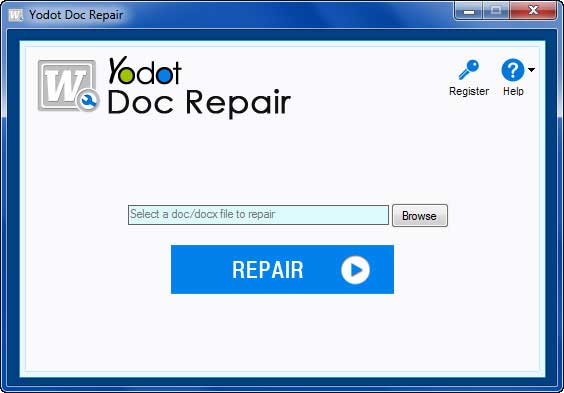
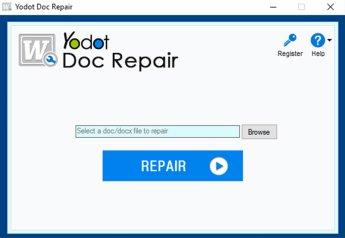
- Download and install the free trial version of Yodot DOC Repair software
- Run the software and select the corrupt Word file, which you want to repair
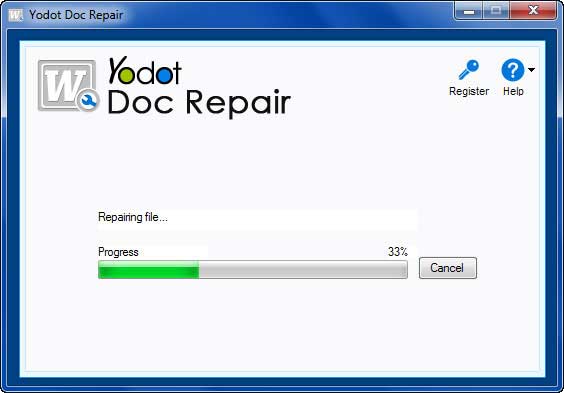
- Let the software scan the corrupted .doc or .docx file to repair it
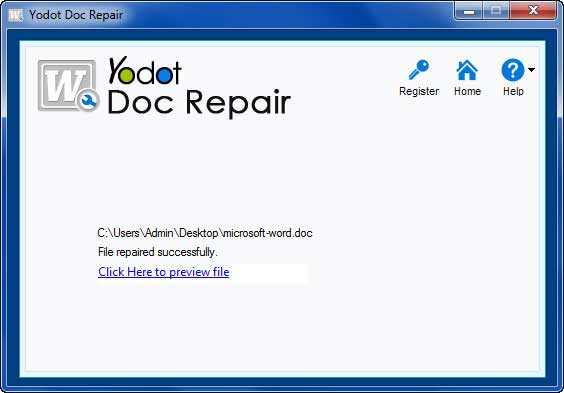
- The moment process finishes, onscreen message will appear showing that repair was successful
- Now, you can preview the Word document which is repaired to verify the effectiveness of the tool
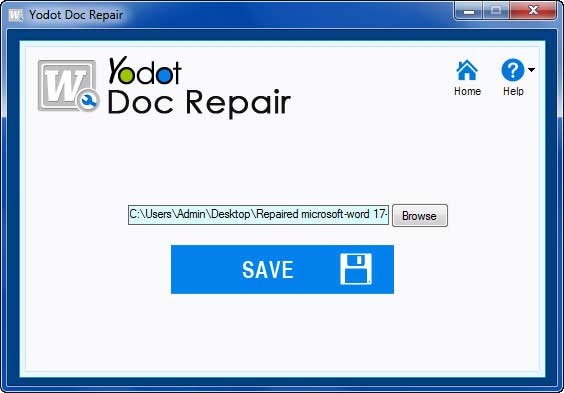
- Browse to select the destination location to save the repaired DOC file
Why Yodot DOC Repair Tool?
| Key Features | Description |
| Repairs DOC / DOCX Files | All the corrupt or damaged DOC / DOCX Word files can be repaired without any difficulty |
| Repairs Inaccessible Files | Ability to repair even the inaccessible Word files which fails to open due to CRC or unknown errors |
| Repairs and Recovers other Word Elements also | Repairs and recovers not just the document text but also the text formatting, tables, charts, hyperlinks, OLE objects etc. |
| Supported MS Word Versions | All the Microsoft Office Word version above Office 2000 |
| Free Updates | Regular free updates are provided in an automated fashion through remote update servers |
| Preview File | Facilitates you with instant preview of a repaired Word file |
| Store Files | The repaired Word files can be stored to any accessible drive to Windows having read / write rights |
| 24X7 Customer Support | You will get 24X7 technical support whenever you are in need of any assistance |
| Free Trial Edition | Yodot DOC repair trial is free, so that you can check out the repair results before purchasing the software |
How a word file gets corrupted?
There are several reasons that may cause Word file corruption or damage, which leaves them inaccessible. Some of them are explained below
- Accidental changes or alteration that occur in document text due to the CRC error can corrupt the Word file
- Corruption or inaccessibility caused due to Microsoft Word upgrade
- The existing word files can get corrupt due to OS re-installation
- The macro virus can insert unwanted text to the document causing damage to the original text of the Word file
- Sudden or indecent system shutdown while processing a Word file can cause severe corruption
- Corruption to a Word file can occur during file transfer from one place to another within the hard drive or between different storage media
| Supported Operating Systems | Supported File Formats |
Hardware Specifications
Supported File Systems
|
Supported MS Office Versions
|
Other Popular Software
Having a corrupt Zip file? Yodot Zip Repair tool repairs and recovers Zip file content from a Zip file that is inaccessible or damaged because of CRC error, download error etc. The software provides the fast, secure and easy repair of Zip files. |
Microsoft PowerPoint .ppt file repair tool that repairs and recovers the content from a corrupt / inaccessible MS PowerPoint files. Not only the text but also the formatting, charts, clip arts, word arts, animations, sound etc. |