-
Photo Recovery from Memory Card
Revolutionized scanning algorithms that helps to recover files from memory card after formatting or file system conversion.
Photo Recovery of Deleted Photos
Powerful yet simple way of recovering deleted photos of different formats from any storage media.
-
Photo Recovery after Formatting
Need help to recover photos after formatting? Then see this page
This page conveys the easiest way to recover your iPod files on Windows platform that are either deleted or lost due to format, restore, recovery mode error, sync error etc.
-
Just click on this page and know how to recover lost or deleted data from a CF card on a Windows PC or laptop.
Go through this page to know how to recover your photos from your camera or camcorder's SD card.
-
Click here and know the detailed information on how to recover deleted / lost JPG photos from any storage drive.
Guidelines to recover your deleted or lost RAW photo files on Windows in an easy and efficient way.
-
Photo Recovery from Hard Disk Drives
Check out this article, as this may help you to recover photos from internal or external computer hard disk drives.
This page guides the users to retrieve their lost data from a memory stick.
-
Go through this page to know the ways of recovering data from your digital media players / audio players.
Recover Data from Mobile Phones
This page conveys details regarding mobile phone data recovery, click here to read the detailed information.
-
Recover Pictures from DSLR Camera
Refer this page to know the easiest way to recover all the images from your DSLR camera on a Windows PC.
One of the simplest and easiest way to recover audio files from hard disk, usb drive, memory card etc; on Windows OS.
-
Try this best xD picture card recovery software to retrieve deleted, lost or missing media files from Olympus, Fujifilm xD picture memory card on Windows.
This page provides the information about recovering media files from Smart Media memory card on Windows computer
-
Worried about how to restore media files from XQD memory card? Just read this page to know more
Restore Pictures from Photo Library
Need not regret after losing photos from your photo Library. Refer this software to get back all the photos.
-
Worried about how to restore media files from XQD memory card? Just read this page to know more.
This article guides users to recover their deleted and lost video files from various storage drives on Windows OS.
-
This page tells you on recovering lost/deleted media files from SDHC card on Windows PC.
Recover Lost Micro SD Card Data
Refer this page to get information about restoring photos, videos or music files from Micro SD memory card.
-
Retrieve Photos from Transcend Memory Card
Just visit this page if you want to know how to recover images from Transcend memory card after unexpected data loss.
This page conveys the easiest way to retrieve your NEF Raw files from Nikon camera on Windows platform.
-
Retrieve Images from Kodak EasyShare Camera
Read this page to know the way to get back all your media files from Kodak Easyshare digital camera.
Restore Images from External Hard Disk
This article helps you to get back photos from external hard drive in the event of data loss.
-
Unintentionally deleted or lost your MP3 music files? Then cleck to know on how to do recovery of MP3 files.
Retrieve Adobe Photoshop Files
Worried about recovering deleted or lost Adobe Photoshop files? Then read this page to know further details.
Just Imagine that you have unknowingly deleted your wedding photos or lost your recent trekking excursion pictures because of a faulty memory card or some other problem. It is not even easy to imagine the loss, and if it happens in reality then the situation can be much more difficult and tragic.
The Yodot Photo Recovery can be the right choice for you, as it enables you to rescue lost or deleted pictures from any storage drive. Its unique algorithm and handy interface helps you to recover images even from drastic data loss situations. Uniquely designed to provide flexibility and accuracy to users.
“Nothing is lost forever; there is always a way to recover it”
How it works?
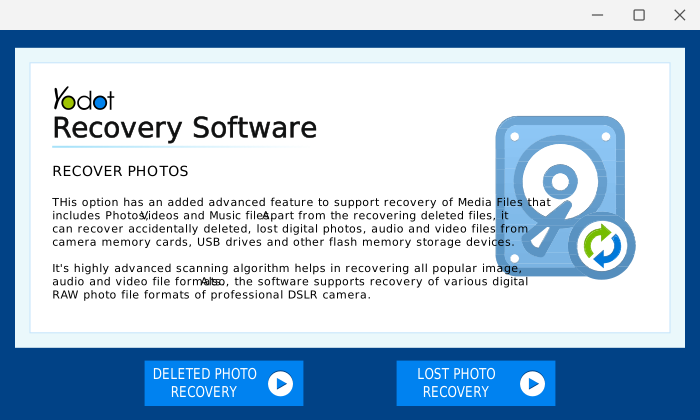
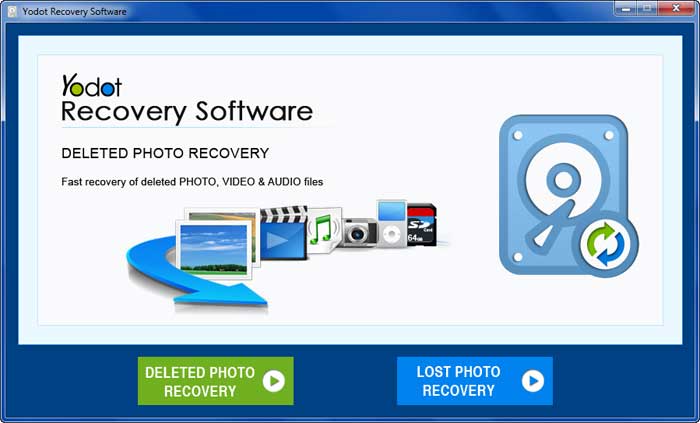
Yodot Photo Recovery has easy to use interface and promises quick photo recovery.
- Download and install the free trial version of the software
- Launch the software and follow the onscreen instructions to get your lost / deleted photos back
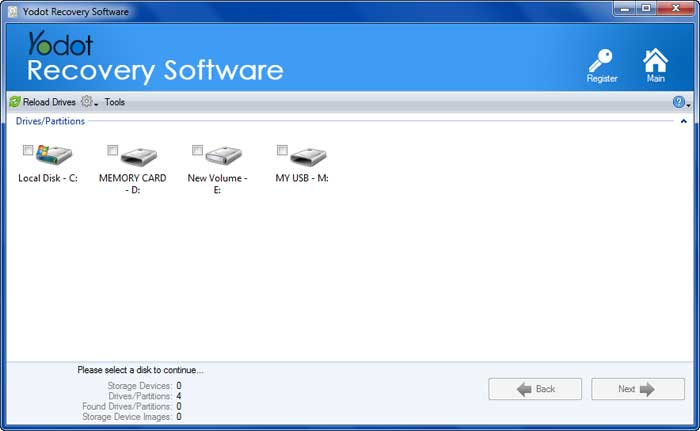
- Select the drive from where you want to recover your lost photo, audio and video files
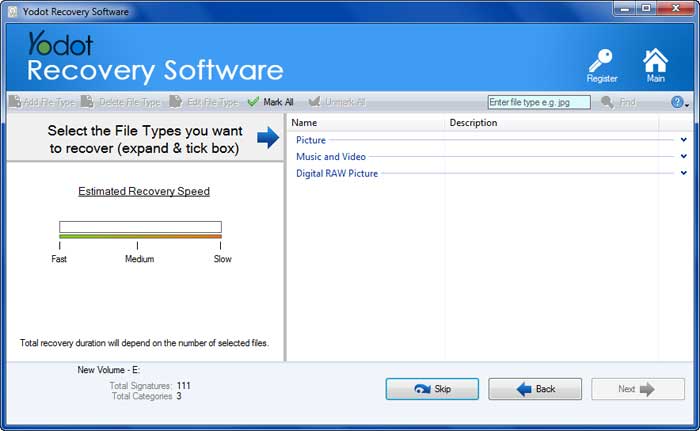
- Let the software scan and find the files from the selected drive
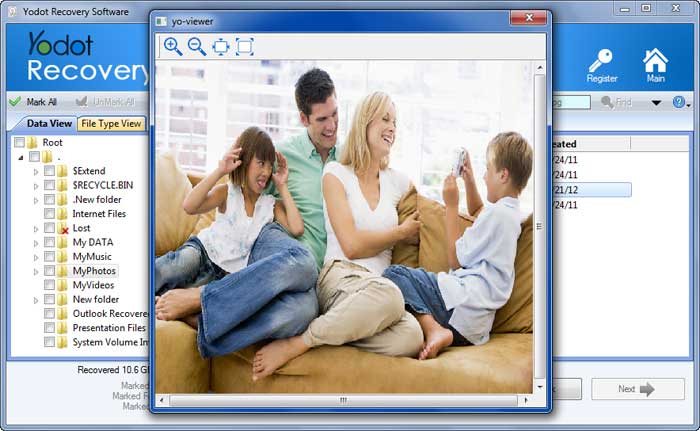
- Preview the found files and select the one, which you want to retrieve
- Select the destination drive to save the recovered files; you must not use the same drive from where you lost the files
Why Yodot Photo Recovery?
| Eminent Skills | Description |
| Quick Scan | Intensive scanning process which promises rapid picture recovery |
| Undelete Files | Recover all your digital images / photos. You can recover video and audio files also |
| Supported Storage Media | You can recover digital photos from any storage drive such as memory card, camera memory, hard drive, external hard drive, media player and many other |
| View Types | Sorts the images according to their file types, hence saves time |
| RAW Search | Specific files can be retrieved by providing their unique signatures (HTML code) |
| Resume Recovery | Recovery session info can be resumed, in order to avoid scanning again after product purchase |
| Categorize Files | Classify files based on title, size, date, file extension etc. |
| Stores Files | Provides facility to save retrieved files to any accessible drive |
| Preview Before Recovery | Before restoration, preview images and choose the one which you want to recover |
| No Virus | 100% clean from Virus / malware / spyware |
| Ease-of-use | User friendly interface – flexible to both technical and non-technical users |
When you would require Yodot Photo Recovery?
Yodot Photo Recovery is required, when data is lost due to following scenarios:
| Deletion |
|
| Formatting |
|
| Indecent handling |
|
| Other Scenarios |
|
| Supported Media File Formats | Supported Storage Devices | Supported Cameras |
|
|
|
Supported Operating Systems
- For windows – Windows 7, Windows Vista, Windows XP, Windows server 2008 and Windows server 2003
Hardware Requirements
- Memory - Minimum 1 GB RAM
- Disk Space - 50 MB for installation
- System Type – Both 32bit and 64bit operating system
Supported File Systems
- FAT16
- FAT32
- NTFS
- NTFS5
- extFAT
Other Popular Software
Yodot Hard Drive Recovery (Windows) Accidentally formatted a partition / drive on Windows. Recover data from accidentally formatted FAT, NTFS partitions and restore them to another healthy partition. |
The photo recovery app especially designed for Mac users who are more inclined towards managing graphics and prefer using Mac platform. The application supports recovery from all types of storage media including USB, Flash memory cards, FireWire drives and hard drives. |