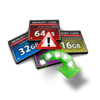
Media cards like memory, SD, XD, SDHC, TF, CF, etc are the best means for storing as well as transferring digital data. But many users often come across various issues while using them. Here is a report on one such problem experienced by users of memory cards.
“Hi, while using my Sony, a message cropped up on the screen stating that “the camera is unable to read memory card - Reinsert the memory card”. But I got the same error even after reinstalling the card. I am worried about whether I will be able to access my photos, and videos saved on the card. It will be really helpful if you could help me to handle this issue.”
Camera saying reinsert the memory card is one most common errors. Don’t worry, this article will help you fix this reinsert the memory card issue with various tried and tested solutions.
Note: Along with fixing reinsert memory card issue this article can also help you is you are facing any of the following error messages.
- Error: REINSERT THE MEMORY CARD
- Error: NO MEMORY CARD
- Error: MEMORY CARD ERROR
Why Does My Camera Say Reinsert Memory Card?
Generally reinsert memory card error occurs due to:
- Unsupported cards ( Example: You are using a 64 GB card but your camera supports until 32 GB)
- Unreadable cards
- If you are using a card with bad sectors
- Corrupted or virus-infected card
- The memory card terminal is filthy
- The memory card might be physically damaged.
How To Fix Camera Keeps Saying Reinsert Memory Card?
There are various methods to fix this issue:
- Method 1: Check The Lock Tab Of The Memory Card
- Method 2: Check For The Camera Properties
- Method 3: Check For Physical Damages
- Method 4: Check Your Memory Card With A Different Device Or Slot
- Method 5: Try Inserting A Different Memory Card Into Camera
- Method 6: Update The Firmware To Fix The Reinsert Memory Card
- Method 7: Back Up And Format Your Memory Card
- Take the memory card out of the Camera.
- Now, temporarily move the Lock tab to the lock position.
- Move it back to the unlock position.
- Turn off the camera, and remove the memory card.
- Now, look for any cracks or lines on the memory card.
- If you see any cracks on the memory card it means you have damaged your memory card and you cannot use it further.
- If you see any dust settlements on the memory card, clean the card with a damp cloth and reinsert.
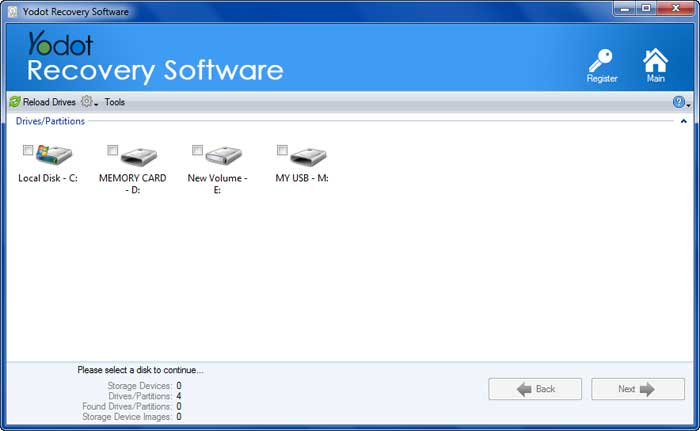
- Launch the application and follow the step-by-step instructions to complete the recovery process.
- Now, select memory card that is showing reinsert error
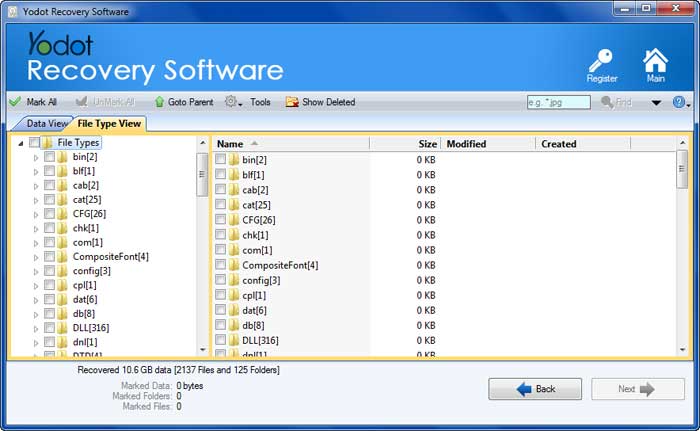
- All files present on memory card will be listed in File Type View or Data View
- You can Preview the photos, videos, other media files and Save the recovered data on computer hard drive
- Insert card into camera and turn it on
- Switch to Playback mode
- Go to Menu
- Choose Format option
- Store your cards in memory card container
- Avoid filling data completely on card
- Periodically reformat your media card
Method 1: Check the lock tab of the Memory Card
Sometimes we end up forgetting simple things like the existence of lock slider on the memory card. Here is how to check the lock slider of the memory card:
Method 2: Check for the Camera Properties
Not all cameras support all varieties of memory cards, there are certain limitation on size from the camera. Verify the camera properties to see your memory card is supported by your camera.
Method 3: Check for Physical Damages
A physically damaged memory card can be a reason behind your system showing you the error reinsert memory card continuosuly. Follow the below mentioned guidelines to check the if the memory card is damaged.
Method 4: Check your Memory card with a Different Device or Slot
Check your memory card with a different camera or card reader and see if it is still facing the reinsert memory card issue. Incase, you are using Sony, Canon or Nikon cameras, you might have to try using the SD card on different slot. This is because generally Sony camera has two SD card slots. If this did not fix your issue, then move on to the next method.
Method 5: Try Inserting a Different Memory Card into Camera
You can try inserting a different memory card to check if you are still getting reinsert the memory card error. Verify the camera with different memory card, if you are still facing the issue, your Camera is the reason behind this error and you can read the next method to fix your camera by updating the firmware.
Method 6: Update the firmware to fix the Reinsert Memory Card
If the memory card is working on other devices but not on your camera, then there might chances of device having the issue. Basically updating the firmware can help you fix this issue i some cameras. In most of the cases, updating the firmware should fix this issue. However, if it didn’t you can move on to next solution.
Method 7: Back up and format your memory card
Once you are sure that memory card is at fault, you can go ahead and format the memory card to fix this reinsert memory card issue. However, formatting will lead to data loss and you should be taking backup of the data before you format it.
Connect your memory card to the computer and take the backup. If you are facing reinsert the memory card error when connected to the computer as well, then you might need a memory card recovery software to recover your data.
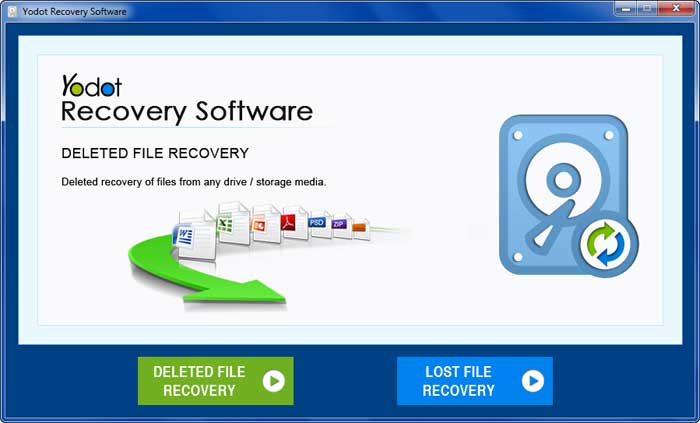
Yodot File Recovery Software is a powerful software that can recognise memory card or SD cards with any corruption or damage and help you regain your data. The tool is built with an advanced scan engine that can simply recover data with in few clicks. If you are serious about the data on your memory card with reinsert error, Yodot is the way to recover.
Once you have downloaded the Yodot File Recovery, follow the below mentioned steps:
Now format the memory card on your camera using below method.