A file with .mny file extension is Microsoft's personal finance software. It was designed for computers using the Microsoft Windows operating system. MS Money files can store financial accounts for checking savings and investment accounts hence multiple account data may exist in a single MNY file. It also uses the .MBF (My Money Backup) file extension, but that is used to indicate an MNY file which has been backed up for archival purposes.
Many home users and small businesses rely on MS Money to handle all their accounting data. Sometimes, it is usual for data files such as the .mny to get deleted accidentally, become damaged or corrupted by a virus. Damaged or corrupted MS Money data can really be a major setback, especially during tax time. These problems can occur for many reasons ranging from network problems to improper shutdowns.
Listed below are few of the problems or errors you may receive while trying to access your MS .mny data files
- General Protection Fault
- Damaged or Mission .mny File
- Corrupted or Deleted Money Data File
- Any Error Which Prevents Access to MS Money
Obviously, after deleting money files, it will be a panic situation for all of us. In such circumstances, user will be asking for solutions. Let us see a similar instance here;
“For some stupid reason I deleted my money file. I tried some methods to rescue my file but, I couldn’t find it. Can anyone help me to recover deleted Microsoft Money Files? “
If in case due to any reason you delete your file then, do not worry! Because when files are deleted/lost, they are not deleted permanently, still resides on the same memory space safely but just out of our reach. There are some possibilities to retrieve them back but make sure that you will stop using that storage space until you recover your erased MNY files. If you over-write with new files then possibility of recovery will be in danger.
Then what are the approaches to get back your deleted MS money files? Let us see some simple ways to restore .mny files from your system.
Approach 1:
- Right click on folder from where you deleted your files
- Select the option “Restore previous versions”
- Now there will be an option to Recover the folder
Approach 2:
If you cannot find “Restore previous versions” option then follow this method
- Go to Control Panel to turn on the System Protection
- Available drives with corresponding protection will be shown
- Select a particular drive and click on configure
- Click on restore system settings> previous versions of files and hit OK
You will find an option to recover the particular file
Upon trying above methods, luckily if your problem solved then it’s well and good! If not then it is the time for an efficient tool to recover your deleted files. Use Yodot File Recovery tool, which can easily rescue your deleted, lost, corrupted files from hard drive and from other storage devices. It can easily find deleted files based on file signatures.
Follow below procedure to recover your deleted MS money files
- Install Yodot File recovery tool on a healthy desktops or laptop
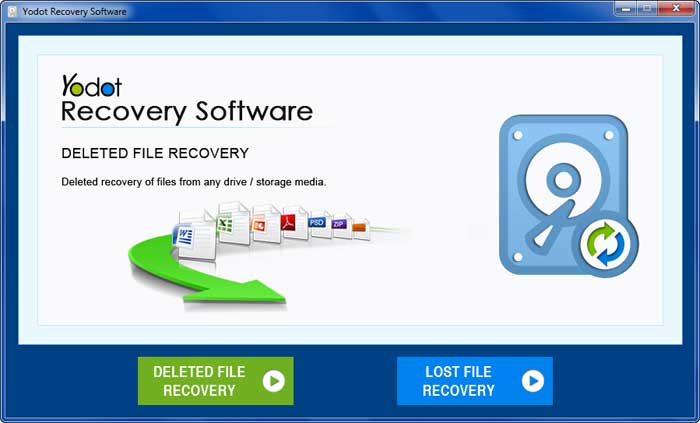
- After the launch, main screen comes with Deleted File Recovery option
- Once you click on Deleted File Recovery, software starts scanning the drive
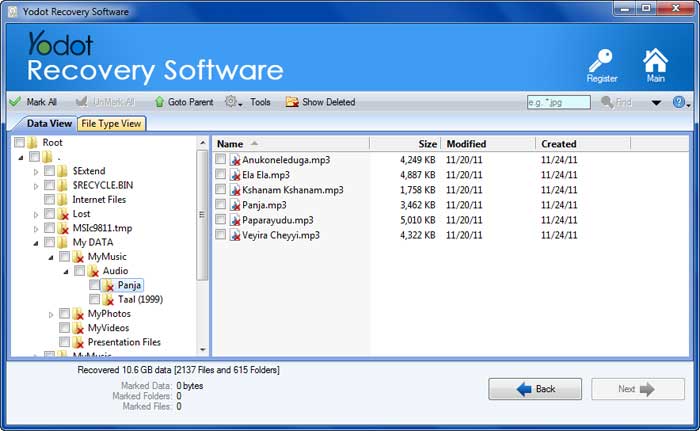
- You can see list of files in two different views
- Make use of search option to recover money files by giving file signature
- Select your required file and view files in either Data Type View or File Type View
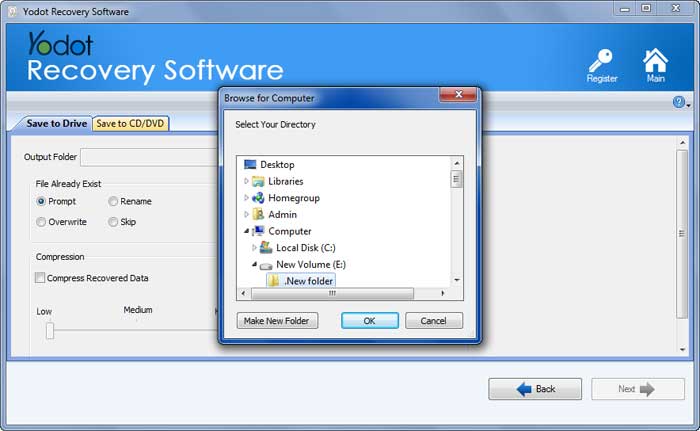
- Choose your destination path to save retrieved files
Important Note:
- Don’t store new files on the same drive or partition from where you have deleted files permanently
- Maintain backup of essential files and folders on one or more storage device