Out of the many accidents that do happen, accidentally deleting your Excel sheets from your USB drive is one of the tougher ones. Unlike deleting files from your computers, files deleted from the pendrive do not go to the Recycle Bin.
I know it's sad, but bear with me, while your chances of recovering your Excel files from your Pendrive may seem grim, there is still hope
Before you proceed to undelete your Excel Files from the USB drive, I must mention that as soon as you experience any form of data loss, please stop using your USB unless it is to recover the deleted data to maximize your chances of success.
How to Recover Lost/Deleted Excel File From USB?
Recover lost Excel files from a pen drive by following the below-mentioned methods.
Method 1: Recover Deleted Excel Files From USB Using Yodot Recovery Software
Yodot Recovery Software is the best software that scans the entire drive for erased reports and recovers the files in a quick way. This software is built with extraordinary technology by various data recovery professionals to easily extract all types of files.
Steps to recover erased files from Flash drive:
- Download, install, and open Yodot Recovery Software.
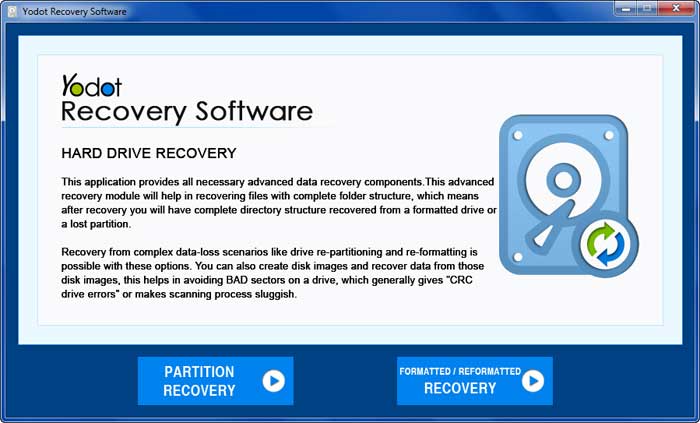
- Select between “Partition Recovery” and “Formatted / Reformatted Recovery” options on the main screen.
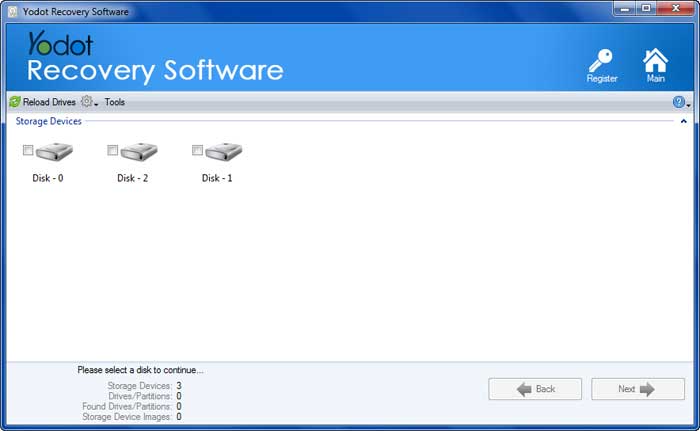
- Select the USB drive to recover the Excel files.
- Start the scanning process and let it complete.
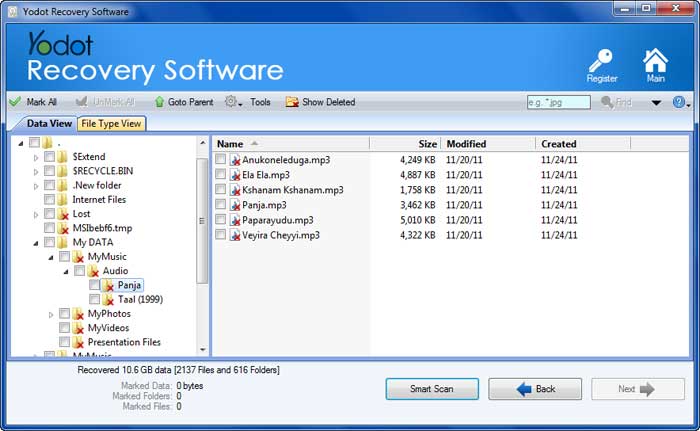
- Then recovered files will be displayed, select the previously deleted Excel files.
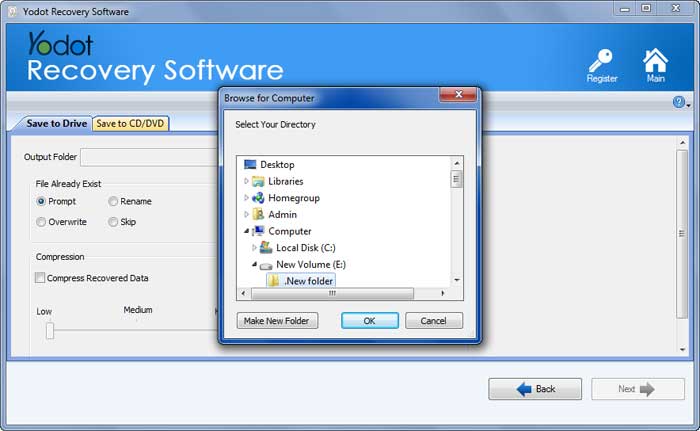
- Finally, save extracted files to a desired location.
Method 2: Recover Excel File Using CMD
- Press Windows + R and type CMD.
- Then, add the following command ATTRIB -H -R -S /S /D F:*.* in the prompted field.
- Letter F is a drive letter given to pen drives in the above-stated command. Thus, you can easily change and replace the drive letter F on your desktop according to the drive letter shown on your pen drives.
Tips For Preventing Excel Files From Being Deleted From Flash Drive:
- Press Windows + R and type CMD.
- Then, add the following command ATTRIB -H -R -S /S /D F:*.* in the prompted field
- Letter F is a drive letter given to pen drives in the above-stated command. Thus, you can easily change and replace the drive letter F on your desktop according to the drive letter shown on your pen drives.
Conclusion
I'd like to thank you for taking the time to read my article. If you have any questions or suggestions, please feel free to reach out to me. I will once again advise each one of my readers to always maintain a backup of their files and manage their documents in an organized manner to avoid such scenarios from occurring again.