Have you ever been in a problem by losing important excel files? Do you know it is possible to retrieve the erased excel file 2013 from Windows hard drive? Go through this article and you will learn many eminent ways to get them back.
First remember, whenever excel files are deleted it is better to stop using your desktop for further data storage. Every time you write new information to a hard disk, you decrease the chance of recovery. So it is recommended not to use it until spreadsheets are retrieved.
Why Does the Deletion of Excel Documents Happen?
Now, let us see a few reasons behind those mishaps that deal with the deletion of Excel sheets.
- Accidental Deletion: Most people may accidentally delete excel sheets or close files without saving them.
- Malfunctions: Unexpected power failure, intrusion of the virus, turning off the storage media while Excel file transfer.
- There are many other instances that will lead to the deletion of files. But every problem has a solution and here are a few ways to recover deleted sheets in Excel.
- Download Yodot File Recovery tool on Windows system and install it
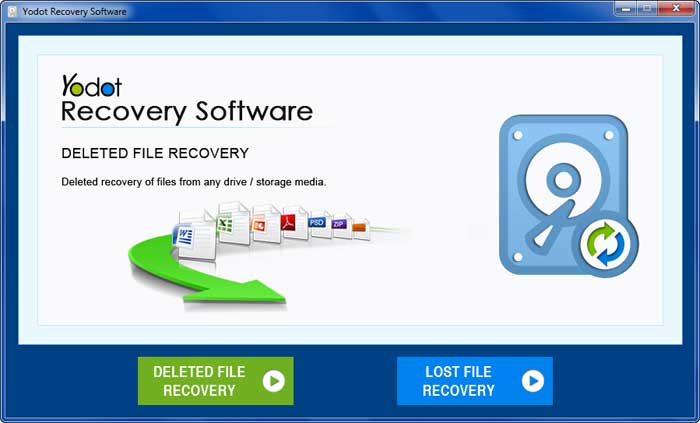
- Launch the product to retrieve deleted Excel files
- Select the 'Deleted File Recovery' option from the main screen
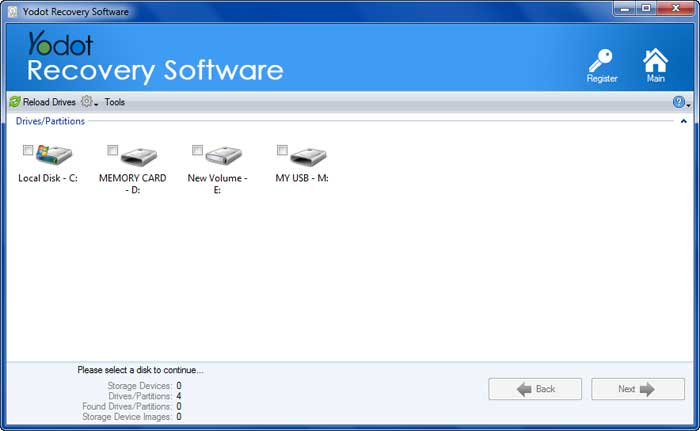
- Select the drive from where you want to restore erased excel files
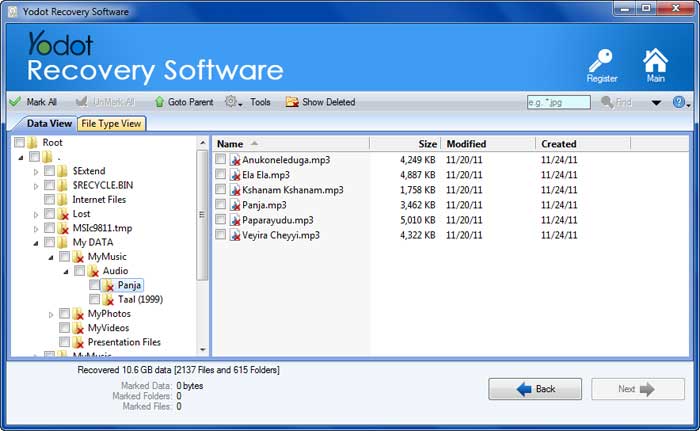
- To easily navigate through recoverable files, toggle between 'Data View' and 'File Type View'
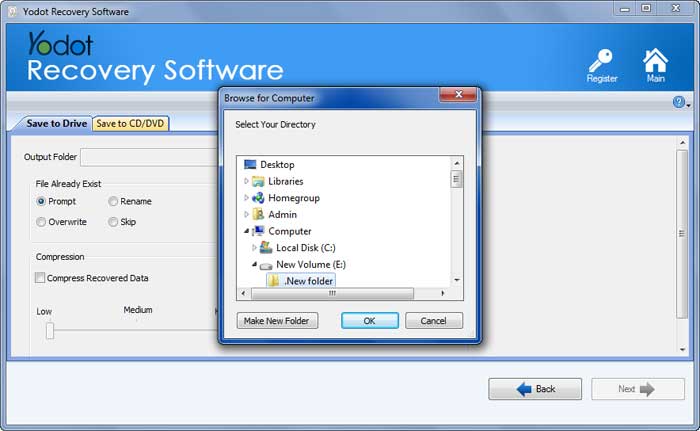
- Finally, Save retrieved files to your desired destination location
- Do not empty Recycle Bin without confirmation
- Avoid adding new files to the computer after deletion of the Excel file
How to Recover Deleted Excel Documents?
The following are three methods to Recover a Deleted or Unsaved Excel Document with ease:
Method 1: Recycle Bin Recovery
Double click on Recycle Bin if you have deleted the entire workbook, rather than the sheet within the excel sheet, to recover deleted file. If you find it then right-click the file and restore it.
Method 2: Using Recovery Panel
If you closed the application without saving Excel file then reopen Excel. The Document Recovery pane appears to provide several previous documents to choose from. You can open each and every file and check for lost or deleted sheets.
Method 3: Using Restoring Previous Version
Right Click the MS Office folder and click on 'Restore previous versions. A list of previous versions files and subfolders arranged by date will populate gathered from system restore points or any backup you may have taken using Windows Backup. If System Restore is disabled and you don't use Windows Backup then the list will be empty.
Always take regular backup of your computer to save your day in the event of a data loss situation. If none of the procedures works out, then it is recommended to use any trustworthy software to recover deleted Excel files. One such is the Yodot File Recovery product.
Method 4: Recover Deleted Excel Files Using Yodot
By using the Yodot File Recovery application you can efficiently restore deleted Excel files on various versions of the Windows operating system. Along with Excel sheets, it can recover deleted doc files, RAR files, PPT files, generic media files, etc. You can also retrieve deleted files from SSD, flash drive, external hard drive, memory card, internal hard drives, and many other devices. Deleted Excel file recovery on Mac as well as Windows operating system can be achieved perfectly with a few simple steps.
Steps to Recover Excel Files: