In this well-developed techy environment, every computer user knows about a wide range of applications developed by various organizations. Now and then Windows user needs to perform some tasks in new software available on the internet. OpenOffice is also one such program developed by Microsoft for Windows users. This open-source suite contains different tools such as Writer (Word processor), Impress (Presentation), Calc (Spreadsheet), Draw (Graphics), Math (Equation Editor) and Base (Database).
Regardless of creativity OpenOffice documents perhaps get deleted or go missing in various instances. For example, in the Windows system, you have deleted unnecessary OpenOffice files by dragging them to Windows Recycle Bin and emptying that folder. Later, you realized that you have even removed valuable OpenOffice documents along with unwanted files. However, don’t bother!! For relevant solutions read the complete article.
Some other scenarios wherein you may delete or lose OpenOffice documents:
- Formatting: Accidentally formatting Windows partition containing plenty of OpenOffice files instead of formatting some other partition, removes huge data including OpenOffice documents
- Improper Cut-Paste: When you use the Cut function before pasting the earlier the cut OpenOffice documents, then it contributes to loss of those files
- Third-Party Tools: Installing unknown or unauthenticated third-party apps might gradually result in logical conflicts as well as the removal of files saved on Windows PC along with OpenOffice documents
- Corruption Issues: Malicious virus attack, logical error or file system corruption may tend to inaccessibility of a large number of OpenOffice documents saved in Windows computer
If you have faced any of the above-conversed circumstances, then make use of result-oriented OpenOffice file retrieval software such as Yodot File Recovery to retrieve missing or deleted OpenOffice documents on the Windows system.
OpenOffice document Recovery software:
The Yodot File Recovery software will successfully restore missing or lost OpenOffice documents on the Windows system. This tool can extract various OpenOffice files. The tool is designed with advanced modules, innovative algorithms, interactive GUI, read-only property and many other features which assist you in recovering OpenOffice files efficiently under critical data loss scenarios. Along with OpenOffice documents, you can recover Lotus NSF file, Microsoft Office files, media files, compressed files, text files and many more from Windows computer.
Steps to get back OpenOffice documents:
- Download and install Yodot File Recovery program to Windows computer
- Run installed application based on-screen guiding instructions
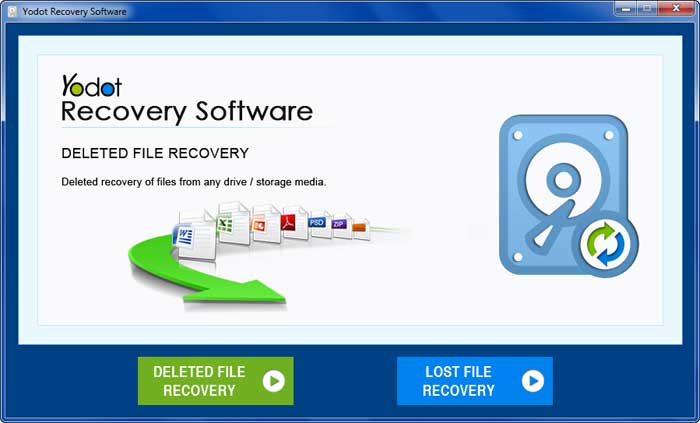
- The main screen contains two options, which are “Deleted File Recovery” and “Lost File Recovery”
- Select any of the options to restore OpenOffice files based on data loss scenario that you have faced on the Windows system
- Now this software provides all partitions present in Windows PC
- Choose the partition from where you have to get back deleted or missing OpenOffice documents
- The utility scans selected Windows hard drive and display a list of recoverable OpenOffice files
- Mark the required OpenOffice file from the list of retrieved files and click “Next” button
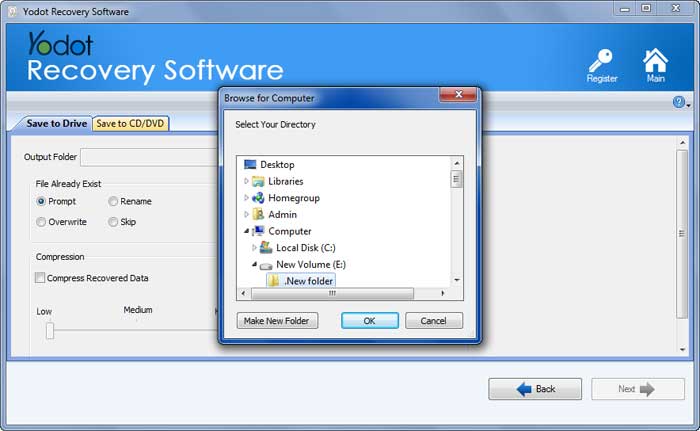
- Finally, save them to your preferred destination location on the Windows system using the “Save” button. However, not to the same Windows partition to avoid data overwriting
Important Tips:
- Backup essential OpenOffice files on secure external storage devices
- Confirm twice whether you have chosen unwanted OpenOffice files before deleting them permanently
- Maintain powerful anti-virus application on Windows system to avoid virus attack